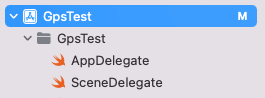
GpsTest Project를 생성한다. GpsTest를 선택 후 Info 탭을 선택한다.
아래쪽에 Privacy - Location When In Use Usage Description을 추가한다. 그다음 Singing & Capabilities를 선택한다.
Background Modes를 더블클릭한다. Location updates를 체크한다.
ViewController을 열어서 다음처럼 소스를 구성한다. import UIKit import CoreLocation class ViewController: UIViewController, CLLocationManagerDelegate { var locationManager: CLLocationManager! override func viewDidLoad() { super.viewDidLoad() // Do any additional setup after loading the view. locationManager = CLLocatio...
#
annotation
#
MapKitView
#
locationManager
#
location
#
kCLLocationAccuracyBestForNavigation
#
ios위치
#
iosgps
#
gps
#
CLLocationManagerDelegate
#
CLLocationManager
#
MKMapView
원문 링크 : iOS Location GPS 연동