
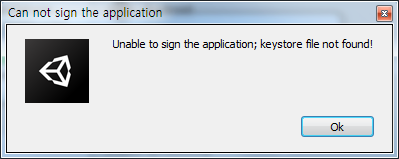
Unable to sign the application; keystore file not found! 응용 프로그램에 서명할 수 없습니다.
키스토어 파일을 찾을 수 없습니다! 솔루션 1.
유니티 우측 상단의 File - Build Settings - Player Settings - Player - Publishing Settings 에서 Password를 입력했는지 확인하도록 합니다. 2. Password를 입력했음에도 키스토어 오류가 발생했을 경우, 현재 keystore 파일의 위치를 확인합니다.
Path에 정해진 위치에 keystore 파일이 없다면 위와 같은 오류가 지속적으로 발생합니다. 위 사진의 경우 Desktop에 있으므로 바탕화면에 keystore 파일이 있어야 합니다.
다른 참고 자료 혹시 해결이 되지 않으셨다면, 다른 case를 살펴봐주세요. Android Error Building Signed APK: keystore.jks not found for signing ...
#
keystore
#
빌드
#
유니티
#
프로그래밍

![[엘소드] 블마 영웅던전 - 어둠의 숲(1인 랜매버프)](https://phinf.pstatic.net/image.nmv/blogucc28/2016/05/03/250/9d00cc84717bcdef7e2bc8e689fd67414006_ugcvideo_270P_01_16x9_logo.jpg?type=w2)

![[ 블챌 ] 6월 3주차 : 소울워커를 하며](https://mblogthumb-phinf.pstatic.net/MjAyMjA2MjZfMjIg/MDAxNjU2MjI3NDc3NjEw.qGD1uC_6yGf85V-51658cuoxfHakj-g34blxFTnFVl8g.acZyDB-LNjBlNS_OFoz3VX7NGmKokaOwW-6aVcPYX28g.PNG.ckdduq2507/01.png?type=w2)