
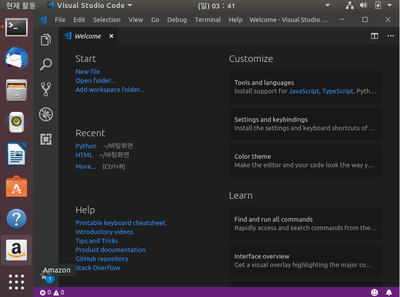
우분투에 Visual Studio Code를 활용하여 파이썬공부 시작!! Visual Studio Code 설치방법은 구글에 검색하면 정말 많으니 참고바람 거북이 그래픽 일명, 'Turtle Graphics' import turtle as t t.Shape("turtle") 'turtle'이라는 모듈을 import를 시키는데 여기서, 'as t'를 입력하게 되면 'turtle'이라는 모듈을 't'라고 쓴다. import turtle import turtle as t turtle.Shape("turtle") t.Shape("turtle") 어렵게 생각하지말고 한마디로, 'turtle' 이라는 모듈에게 't'라는 별명을 붙여주었다고 생각하자!!
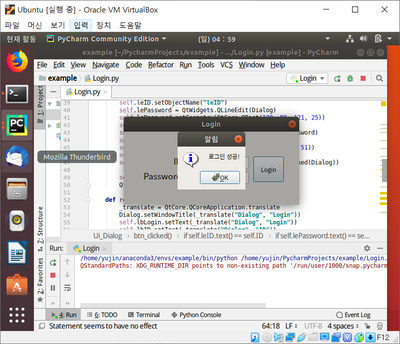
나는 이렇게 이해했다... 저 두 문장만 입력하면 된다고 해서 입력했는데 TurtleGraphicError: There is no shape named ..
에러가 뜬다.. shape에서 생긴 오류라고 하는데 'turtle' 철자가 오류났을 경우...
#
python
#
tkinter
#
turtle
#
거북이그래픽
#
거북이그래픽오류
#
파이썬
원문 링크 : TurtleGraphics 실행해보기
![[정보처리기사필기] 2018년 2회 기출문제 풀이 (2과목풀이)](https://blogimgs.pstatic.net/nblog/mylog/post/og_default_image_160610.png)
![[Python] 백준알고리즘 2163번 초콜릿 자르기 (B3)](https://mblogthumb-phinf.pstatic.net/MjAyMjAxMDRfMzYg/MDAxNjQxMzAwOTEzNDQ3.JJpsw4vRjykUBoRPXTal9pagSgd0crJt0qV4RBrnyv8g.IjVoTrEJvruwSrO_bVw-uiNupu32Bq1JIYig_hHM3zUg.PNG.yu_jin456/image.png?type=w2)
![[Python] 백준알고리즘 2161번 카드 1 (B1)](https://mblogthumb-phinf.pstatic.net/MjAyMjAyMThfMjMw/MDAxNjQ1MTEwNDI1MTQ2.JZbBjn0qpHROzVThhjfXoaDOX3AJURGbQMXFylX8Jp4g.QKjRxqEF4f0orNuPdViwofhhGT05Cv8JbuMkoNhle6Ug.PNG.yu_jin456/image.png?type=w2)
![[자바] 백준알고리즘 13305번 주유소 (S4)](https://mblogthumb-phinf.pstatic.net/MjAyMjA3MTRfNTAg/MDAxNjU3ODEwNzM1MzAx.YBwyGs3pgX_CJW7uTVK8pJN2YPavRtqE48wRxW1vMisg.jRsspTs-sMixTpQbfywlFDWdhc2KHzZ00jP0gQ3vkWYg.PNG.yu_jin456/image.png?type=w2)
![[자바] 백준알고리즘 2562번 최댓값 (B3)](https://mblogthumb-phinf.pstatic.net/MjAyMjA3MTZfMTYx/MDAxNjU3OTgxMDE2NzI4.bbhtxgmf-d4w4dECG4Mu-O_uE2c9zNgmjxqKjYhf6lEg.evvRsC0k2AY4kJGdak-FZ_DEV0gvUymMdgrkO3Pao4sg.PNG.yu_jin456/image.png?type=w2)